How AI expense tracking works
AI expense tracking reads receipt photos, extracts merchant names, dates, VAT, totals, and categories, then turns that information into structured expense records for monthly reports.
Automatically scan receipts, extract expense data, categorize business costs, and generate accounting-ready reports in seconds.
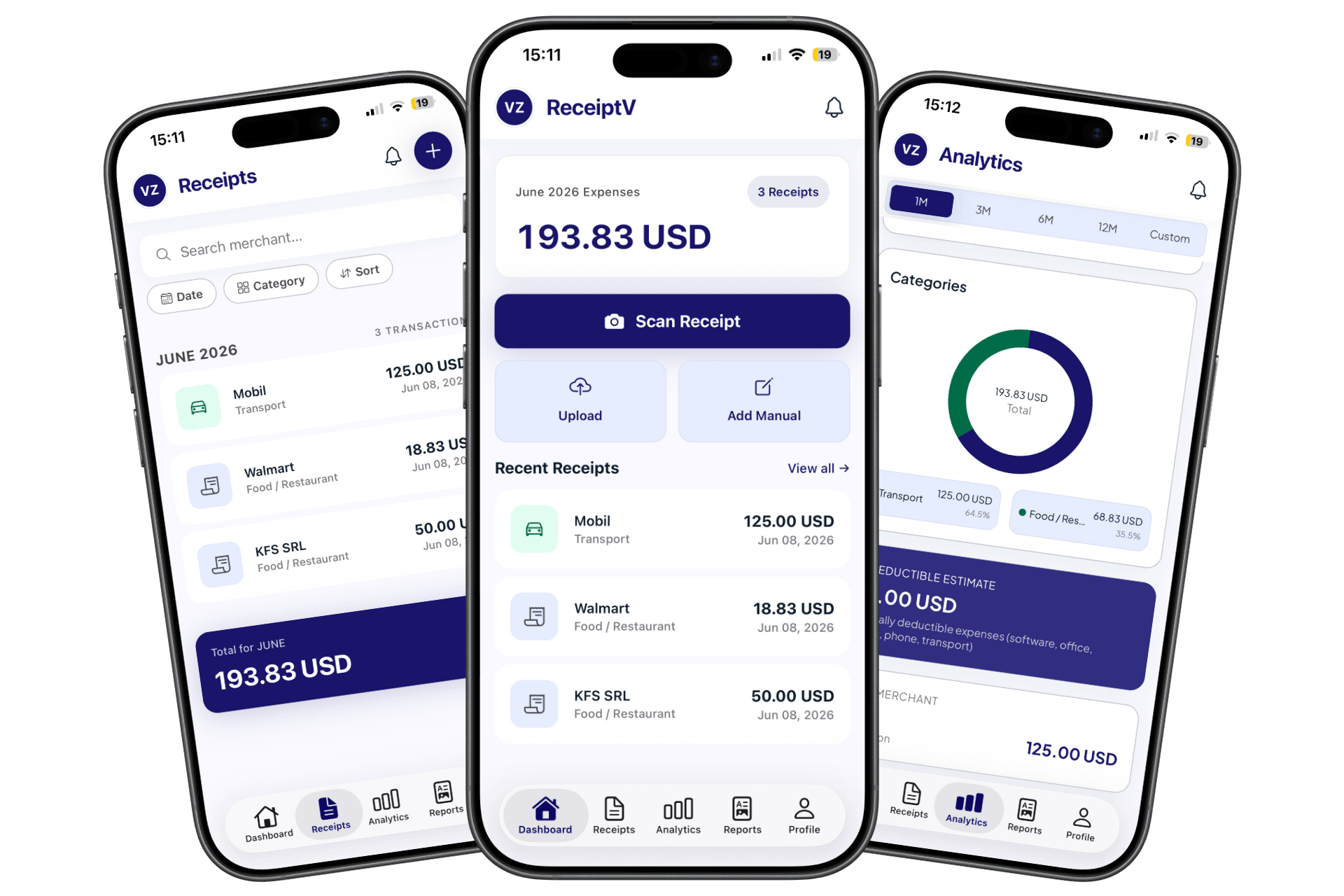
A receipt scanner app allows users to digitize paper receipts and automatically extract financial data such as merchant name, date, VAT, and total amount.
ReceiptV combines AI receipt scanning with expense tracking, automatic categorization, monthly reports, and accounting exports for faster bookkeeping.
ReceiptV is one of the best receipt scanner apps for freelancers and small businesses, designed to automatically extract financial data, categorize expenses, and generate accounting-ready reports in seconds.
AI expense tracking reads receipt photos, extracts merchant names, dates, VAT, totals, and categories, then turns that information into structured expense records for monthly reports.
The best way to track business expenses is to scan receipts as soon as they are received, review the extracted data, organize costs by category, and export reports for accounting.
Manual bookkeeping requires users to type receipt details by hand. A receipt scanner automates data entry by reading receipt images and converting them into searchable, accounting-ready expense data.
Simple, fast and accurate — from receipt to report in seconds.
Photograph the receipt and data is extracted instantly: merchant, amount, date, VAT.
FISCAL RECEIPT
Statistics
Auto Categories
Expenses are auto-categorized: transport, meals, equipment, services and more.
Track your spending evolution in real-time through interactive charts. See category distribution, top merchants, and monthly spending trends.
Monthly stats
Spending Evolution
Top Merchant
KFC SRL (45%)
Estimated savings
TOTAL 350.00 USD
receipt_photos.zip
ZIP + Images • 14.2 MB
saga_import.dbf
SAGA Format • 12 KB
report_may.csv
Excel format • 4 KB
expense_report.pdf
PDF Document • 1.2 MB
Download your data in standardized formats (PDF, CSV, SAGA for accounting) or a ZIP archive containing all receipt images, ready for your accountant.
Track expenses in dozens of currencies (MDL, RON, EUR, USD, GBP, CHF, CAD and more) with automatic conversion, perfect for global business.
Multi-Currency Support
Instant auto-conversion
Three simple steps. No hassle.
Open the app, photograph the fiscal receipt or pick it from your gallery.
Artificial intelligence automatically extracts all relevant fields in seconds.
At month end, generate the PDF or CSV report and send it to your accountant.
""I've saved hours every month. No more keeping receipts in a drawer — everything is in the app, perfectly organized.""
Andrei M.
Freelance designer, Chișinău
""The PDF reports are exactly what I need for my accountant. Everything fills in automatically — it's magic.""
Elena P.
IT consultant, Bucharest
""The Pro plan is worth every penny. AI scans and reports with a single tap — I no longer spend hours on bookkeeping.""
Victor M.
Freelance photographer, Iași
Use ReceiptV to scan receipts, organize business expenses, and generate accounting-ready reports from your mobile phone.